My Location App: Current Location, GPS and Saved Places
Searching for the best my location app usually begins with a practical problem: you need your current address, want to remember where you parked, or have a GPS coordinate that means nothing until it appears on a map. The right app makes that first answer useful after the moment has passed.
My Location for iPhone and Android brings your current position, saved places, recorded tracks and location sharing into one connected workflow. This guide explains what those features do, how the two platforms differ and which tools fit everyday situations. “Best” depends on your needs; this is a guide to choosing and using My Location, not a claim of an independent number-one ranking.
Start with the app for your phone below, or try the website’s current-location tool for a quick browser lookup. The mobile apps are useful when you want to keep places, record movement and return to your location tools regularly.
What does “my location” actually tell you?
Your current location is the position your phone estimates at that moment. The map shows where that estimate falls; latitude and longitude describe it numerically. A nearby street address is a separate interpretation of the coordinates, based on available map data.
Those answers serve different purposes. An address helps someone recognize a building. Coordinates are valuable at a beach entrance, rural gate or meeting point without a useful street number. A saved place adds your own meaning: “parking, level two” or “quiet entrance beside the café.”
Keep the distinction in mind when you ask “what is my current address?” A pin beside a large building does not establish its apartment, delivery entrance or official postal address. Check the map and nearby signs before passing the details on.
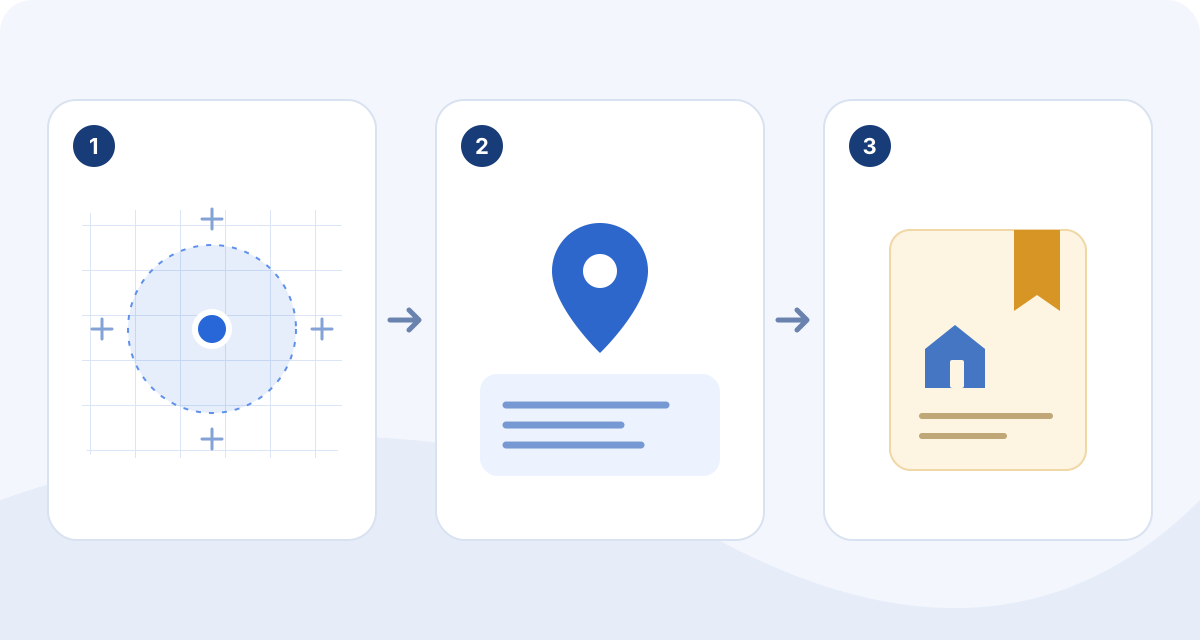
Where am I right now? Find your current address and GPS coordinates
- Open My Location and allow location access when prompted. Use precise location when you need a more specific position.
- Let the map settle on your position, then inspect the displayed address and coordinates.
- Compare the pin with your surroundings. If it looks wrong, move toward open sky where practical and check your phone’s location permissions.
- Use the available copy or sharing action for the information you need, or save the position as a place.
Phone location can combine satellite and network information. Walls, tall buildings, settings and an outdated position can affect the result. Additional decimal digits do not guarantee additional accuracy. Wait for a fresh reading before sending a meeting point.
If another service requires a particular coordinate format, check it before pasting. Latitude comes first in the usual latitude–longitude pair; retain negative signs. The iPhone app exposes decimal and degrees–minutes–seconds formats. The website also has a decimal-to-DMS converter for separate conversion tasks.
What makes a location app the best fit for you?
A useful location app should reduce the work between finding a position and doing something with it. Compare apps against your actual routine: finding addresses, returning to places, recording walks, coordinating with friends or moving map files between tools.
- Clear location details: a map, address and coordinates that you can understand together.
- Memory: saved places with meaningful names and notes, instead of a camera roll full of map screenshots.
- Useful next steps: directions, sharing or a recorded route when you need them.
- Control: visible sharing choices and a straightforward way to stop.
- Honest platform and plan information: the features you need should exist on your phone and in your chosen plan.
My Location is a strong fit when several of those needs overlap. If you only need one address once, the browser tool may be enough. If you want a reusable collection of places and journeys, the app offers a more connected experience.
Saved places: build a personal map that stays useful
Save your current position, search for an address or select a point on the map. Add a name, notes and a suitable marker, then organize places into collections. The free plan supports five collections; Pro removes that limit. Bookmarks and marker styling help distinguish a favorite café from a work visit or a parking spot. The point is to preserve the detail a map provider cannot know.
For a weekend away, make a collection for restaurants, accommodation and meeting points. Add notes such as “entrance on the side street” while you are there. For field visits, use a consistent naming scheme and record practical access details. When you return, a recognizable place is easier to use than an unexplained coordinate.
Signing in to the same My Location account supports syncing between mobile and the web. This lets you prepare or review information on a larger screen and use it on your phone. Check that a recent change has synced before relying on it on another device.
Record walks and journeys, then revisit the route
Track recording answers a different question from current location: where did I go? Record activities such as walking, running, riding or hiking, with pause and resume controls. Depending on the activity and available data, track details can include distance, duration, pace, speed and elevation.
Start recording before you set off and end the track when you finish. Pause during a long stop if you want a clearer activity record. A finished route can help you remember a pleasant walk or compare the paths you took. Recorded tracks support GPX export; publishing a completed route link requires sign-in.
On iPhone, route replay adds playback controls for reviewing recorded movement. A recording is still subject to your device’s permissions and location conditions; inspect an unexpected jump before treating a track as an exact account. Recording a route and broadcasting your live location are separate choices.
Find places nearby and choose your next direction
The Android app’s published feature set includes nearby search and directions for driving, walking and cycling. It also offers home-screen widgets for saving a location or starting navigation. These are useful when returning to a frequent destination or capturing a place quickly. Android can also open Street View in Google Maps where that app and street imagery are available.
On iPhone, built-in navigation supports driving and walking route previews, written steps and spoken guidance as you follow the route. Its Bookmarks and Save Location home-screen widgets provide shortcuts; Save Location opens the app’s editor. Preview the destination and travel mode before you start. A short-looking route may use a different entrance from the one you intended.
Both platforms offer standard, satellite and hybrid map views and traffic options; Android also has terrain, retro and dark themes, and night mode. iPhone supports light and dark appearance. Choose a view you can read comfortably. Available routes, traffic and map details depend on the platform and its data. These features should not be interpreted as a promise of downloadable offline maps or offline navigation.
Share a place, a moving position or a finished route
These three actions solve different problems. A saved-place link identifies a fixed destination. Live location sharing lets someone follow your moving position. A finished route describes a journey you recorded. Choose the one that matches what the recipient needs.
My Location supports sharing with selected friends when signed in, and browser-viewable live links. You can stop sharing manually or choose a duration. Free live sessions run for up to four hours; links created while signed out also have a four-hour maximum. Signed-in Pro users can choose up to 24 hours. A live viewer sees your moving point, not automatically your route history.
You can invite, accept, remove or block friends and manage sharing for each connection. Place Alerts for a friend’s arrival or departure require that friend’s explicit approval and active live sharing with you; approval can be revoked. Use them for agreed coordination. Check the active session when your plans change and stop sharing when the purpose is complete.
Import, export and connect your maps
Map information becomes more useful when it can move between tools. My Location supports saved-place import and export with GPX, KML and GeoJSON through Pro features. GPX track import is also a Pro capability; recorded tracks have export options for using your journey elsewhere.
Choose the format your receiving tool expects. GPX is common for tracks and waypoints; KML is often used for map collections; GeoJSON is useful in mapping and geographic-data workflows. Different formats do not preserve every type of note or styling in exactly the same way, so inspect a small import before moving an important collection.
Public map and route links provide another way to show information. Shared maps are snapshots, so later edits do not automatically update a published map. Including notes or addresses is optional; anyone holding the link can view and forward it. Delete the link to stop future access. Web-created routes appear in both mobile apps as read-only content with GPX export, with route editing remaining on mylocation.app. Account sync connects your data, but it does not mean every editing tool or purchase is identical across platforms.
iPhone, Android and Pro: understand the differences
The shared idea is consistent: find your position, save useful places, record journeys and share deliberately. The interfaces and some capabilities differ. For iPhone, notable extras include spoken driving and walking navigation, route replay and a Live Activity for active location sharing. For Android, the listing highlights nearby search, cycling directions, home-screen widgets and map themes.
Android’s Google Play listing states that the app contains ads and offers in-app purchases. Android Pro removes ads and offers monthly, yearly and lifetime options; check the current offers available to you. The iPhone app is ad-free and offers monthly and yearly Pro options. Do not assume that “free download” means every feature is free: advanced file tools and longer live-sharing sessions are examples of Pro capabilities. Starting live sharing directly from the recording screen also requires Pro.
An iOS Pro purchase does not automatically enable Pro on Android or the web. Review the current subscription screen for your platform, local price and included features. Signing into the same account for data sync and buying a platform-specific subscription are different things.
Three everyday ways to put the app to work
Find the car after a long day. Save your parking position before walking away. Add the floor or entrance in a note, since GPS alone cannot reliably describe an indoor parking level. Return to that saved place and check the practical access details you recorded.
Explore a new city. Build a collection of places you want to visit, use the available directions to reach them and save new discoveries as you go. Record a particularly good walk separately if you want to keep the route, rather than only its endpoints.
Coordinate a visit. Send a fixed place when the question is “where should we meet?” Use a timed live link when the question becomes “where are you now?” End that session after the meeting. These small choices keep your map useful without making every location task a permanent sharing arrangement.
Questions about My Location
Can My Location show my current address?
It can display the address associated with your current coordinates. Treat that as map information to check against your surroundings, especially near large buildings, rural roads or multiple entrances.
Why is my current location wrong?
Check precise-location permission and whether the displayed position is fresh. Indoor walls, tall buildings and network conditions can interfere. Move toward open sky where practical, let the reading update and compare the pin with visible landmarks. An IP-based location lookup is a different, rougher estimate.
Is My Location available for both iPhone and Android?
Yes. Download the iPhone app from the App Store or the Android app from Google Play using the links on this page. Some navigation, widget, display and subscription features differ by platform.
Is the app free?
The apps are free to download and offer paid features. Advanced map-file tools and longer signed-in live sessions require Pro. Android contains ads. Check your store and in-app purchase screen for current terms.
Can someone see my location without my permission?
The sharing features described here are initiated by you. Send live links only to intended recipients, manage your friend permissions and stop active sharing when finished. Friend Place Alerts need explicit approval and active live sharing.
Does GPS work without an internet connection?
A phone can sometimes obtain a satellite position without mobile data, but that does not make every app feature available offline. Addresses, map data, directions, sync and live sharing may need connectivity. This guide does not promise offline maps.
Can I use a saved route on another device?
Sign into the same My Location account to use supported synced data across devices. Import, export and public links offer additional ways to move information; format, platform and Pro limits still apply.
Make your current location useful beyond the blue dot
The best location app for your day is the one that helps you finish the task: explain where you are, return to a useful place or keep the route you enjoyed. My Location combines those jobs with optional sharing and map-file tools, while keeping room for platform-specific strengths.
Download My Location for your phone, check your first position and save one place with a note. That simple start turns “my location” into information you can actually use again.