Whether you're marking a trailhead, sharing a meetup spot, or filing a precise address with a delivery driver, GPS coordinates are the universal way to pin a place on Earth. Every phone and computer can show your coordinates in seconds once you know where to look. Here is how to find them on iPhone, Android, and desktop, how to read the numbers, and the difference between the two formats you'll run into.
The fastest way: find your coordinates in the browser
If you just want your current latitude and longitude right now, skip the app hunting. Open our current GPS coordinates finder and allow location access; it reads your device's GPS and shows your position in both decimal degrees and DMS, ready to copy. To see yourself on an interactive map at the same time, use the live "where am I" map, which pinpoints your blue dot and the exact coordinates beneath it.
Browser-based tools work on any device with a modern browser, so they're handy when you're switching between a laptop and a phone and want consistent output.
Finding coordinates on your phone
Both major phone platforms can surface coordinates from their built-in maps:
- iPhone: Open Apple Maps and tap the location arrow to center on yourself. Tap the blue dot, then swipe up on the info panel to reveal latitude and longitude. You can also ask Siri "what are my GPS coordinates?" or open the Compass app, which shows your coordinates and elevation at the bottom.
- Android: Open Google Maps; your position is the blue dot. Press and hold the dot (or any spot on the map) to drop a pin, and the coordinates appear in the search bar or the place sheet, where you can copy them.
For a quick at-home check, our location-sharing tool generates a link with your exact coordinates baked in, so you can text it to someone instead of reading numbers aloud.
Finding coordinates on a computer or from a map
On a desktop, the simplest method is Google Maps: right-click any point on the map and the pop-up shows the latitude and longitude in decimal format at the top. Click them to copy.
To go the other direction, type coordinates into the search box (latitude first, then a comma, then longitude) and the map drops a pin. If you only have a street address, our address-to-coordinates converter turns it into lat/long instantly, and the reverse geocoder turns coordinates back into a readable address.
How to read coordinates: latitude first, always
A coordinate pair is two numbers. Latitude (north–south) always comes first; longitude (east–west) comes second. An easy memory trick: l-a-t before l-o-n, alphabetically a before o. In decimal format, signs do the work of direction:
- Positive latitude = North, negative = South
- Positive longitude = East, negative = West
So 40.7484, -73.9857 sits north of the Equator and west of the Prime Meridian. A handy gut-check: latitude must fall between -90 and 90, while longitude ranges from -180 to 180.
DD vs DMS: the two formats you'll see
The same point can be written two ways, and tools sometimes default to one or the other:
| Format | Example (Eiffel Tower) | Best for |
|---|---|---|
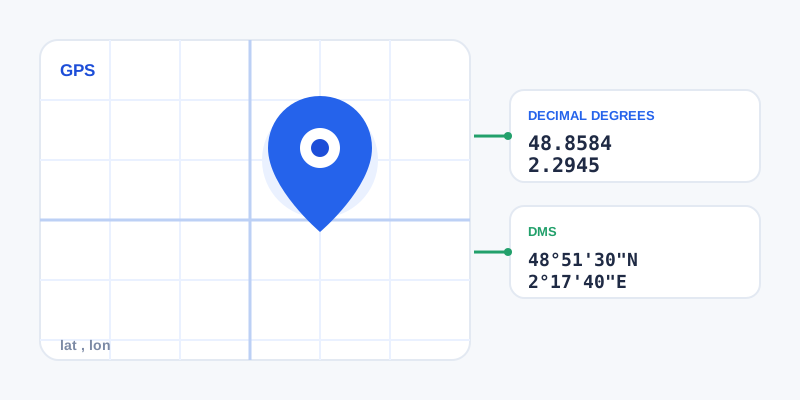
| Decimal Degrees (DD) | 48.8584, 2.2945 | Apps, search boxes, copy-paste |
| Degrees Minutes Seconds (DMS) | 48°51'30"N 2°17'40"E | Charts, surveying, aviation |
The tell-tale sign: if the decimal point comes right after the degrees number, it's DD; if you see degree, minute, and second symbols with N/S/E/W letters, it's DMS. DD is the default for almost all modern software because it's a single clean number that's easy to paste.
Need to switch between them? Our all-in-one coordinate converter handles DD, DMS, UTM, and MGRS in one place, while the focused DMS-to-decimal converter and decimal-to-DMS converter are quick when you only need one direction.
A few practical tips
- Precision matters: five decimal places in DD is roughly one meter, plenty for most needs. Don't pad numbers you didn't actually measure.
- Watch the order in code: some technical formats (like GeoJSON) use longitude-then-latitude, so confirm before pasting into developer tools.
- Add elevation if it counts: for hiking or aviation, pair your coordinates with our elevation finder to capture height above sea level too.
Once you can find and read coordinates on any device, sharing an exact location takes seconds, no matter how remote the spot.