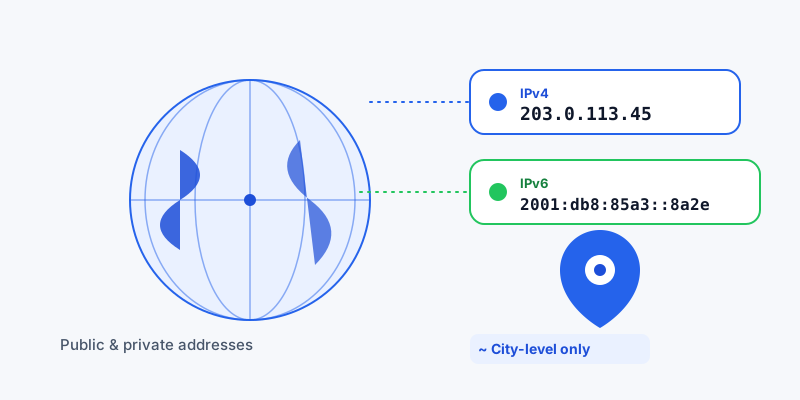
Every device that connects to the internet needs an address, the same way every house on a street needs one so the mail can find it. That address is the IP address (Internet Protocol address), and it is what lets data travel from a website's server to your laptop, phone, or smart TV and back again. Here is what an IP address is, the difference between IPv4 and IPv6, why you have both a public and a private IP, and how much your IP really reveals about where you are.
What an IP address is (and what it looks like)
An IP address is a unique label assigned to a device on a network so that traffic can be routed to and from it. There are two formats in use today:
- IPv4: four numbers from 0 to 255 separated by dots, like
192.168.1.1or203.0.113.45. - IPv6: eight groups of hexadecimal characters separated by colons, like
2001:0db8:85a3:0000:0000:8a2e:0370:7334.
If you just want to know what yours is right now, the fastest route is our tool that shows your public IP address, which detects it directly from your connection. Curious about a different address you have seen in a log or an email header? Run it through the IP lookup tool that reveals network and approximate location details.
IPv4 vs IPv6: why two systems exist
IPv4 has been the backbone of the internet for decades, but it only allows about 4.3 billion unique addresses. With billions of phones, laptops, cameras, and smart devices online, the world ran out of fresh IPv4 addresses. IPv6 was designed to fix that with a vastly larger pool, enough to give every grain of sand its own address many times over.
| Feature | IPv4 | IPv6 |
|---|---|---|
| Format | Dotted decimal (4 numbers) | Hexadecimal (8 groups) |
| Example | 198.51.100.7 | 2001:db8::1 |
| Total addresses | ~4.3 billion | ~340 undecillion |
| Status | Still dominant | Growing adoption |
Most networks today run both side by side, so it is normal to see your device report an IPv4 address and an IPv6 address at the same time.
Public vs private IP addresses
Here is a point that trips people up: you actually have two kinds of IP address at once.
- Private IP: used only inside your home or office network so your router can tell your phone apart from your laptop. These live in reserved ranges (
10.x.x.x,172.16.x.x–172.31.x.x, and192.168.x.x) and are not reachable from the open internet. - Public IP: assigned by your internet service provider and visible to every website you visit. This is the address the outside world sees.
A process called Network Address Translation (NAT) lets many private devices share one public IP. So when a website "sees your IP," it is seeing your router's public address, not the private one on your individual device.
How an IP address maps to location
Your IP does not contain GPS coordinates. Instead, geolocation companies maintain databases that match IP ranges to the regions where ISPs operate, drawing on WHOIS records, ISP data, and network routing. The accuracy depends on how zoomed-in you go:
- Country level — very reliable, correct in roughly 95–99% of cases.
- Region or state — moderately reliable, often in the 55–80% range.
- City level — a rough estimate, commonly 50–75% accurate.
An IP address is not a way to find someone's street address or exact spot on a map. VPNs, proxies, and mobile carriers (whose addresses can hop around a whole country) all blur the picture further. For anything that needs real precision, your browser's GPS-based device location tool that pinpoints where you are is far more accurate, and you can read the exact figures with our tool that displays your latitude and longitude.
What you can actually do with this
Understanding the difference between IP-based and GPS-based location helps you choose the right tool. Want a precise, shareable pin instead of a fuzzy IP guess? Generate a link with our location sharing tool that creates a static map link. Need to work with the coordinates behind a place? The coordinate converter that translates between formats like decimal, DMS, and UTM handles the math for you.
In short: an IP address is your device's mailing address on the internet. IPv4 and IPv6 are two formats for writing it; public and private describe whether it faces the wider internet or just your local network; and while it can place you in roughly the right city, it was never meant to reveal exactly where you stand.