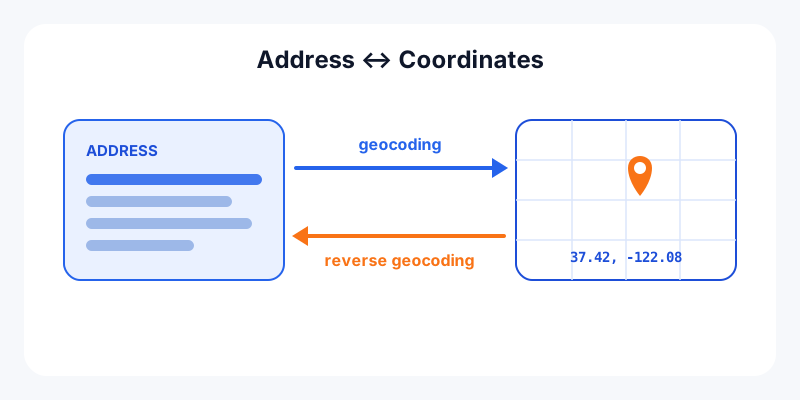
Every digital map performs a translation trick. When you type a street address into a navigation app, software converts those words into a precise point on Earth. When a delivery app shows "arriving at 14 Oak Street," it is doing the reverse. These two operations have names: geocoding and reverse geocoding. They sit at the heart of nearly every location feature you use, and understanding them makes mapping tools far less mysterious.
Geocoding: from address to coordinates
Geocoding (sometimes called forward geocoding) takes a human-readable place description and returns geographic coordinates, usually latitude and longitude. You give it "1600 Amphitheatre Parkway, Mountain View, CA" and it hands back a pair of numbers a map can plot.
It does this by matching the parts of your address, like the street number, street name, city, and postal code, against a reference database of known streets and address ranges. This is exactly what our address to coordinates converter does: paste in an address and get back clean latitude and longitude you can drop into any map, spreadsheet, or GPS device. Once you have those numbers, you can keep working with them, for example using a coordinate format converter to switch between decimal degrees and other notations.
Reverse geocoding: from coordinates to address
Reverse geocoding runs the same pipeline backwards. You provide a coordinate pair and it returns the nearest human-readable address or place name, complete with components like house number, street, city, postcode, and country. This is what powers the "you are here" label on a map or the address that auto-fills when you drop a pin.
If you have raw coordinates from a photo, a GPS log, or a friend's shared pin, our coordinates to address lookup turns them into a readable street address in seconds. Not sure what your own coordinates are to begin with? Check your current latitude and longitude first, then look them up.
The key difference at a glance
| Geocoding | Reverse geocoding | |
|---|---|---|
| Input | Address or place name | Latitude / longitude |
| Output | Coordinates | Address or place name |
| Answers | "Where is this place?" | "What is at this point?" |
| Typical use | Search, mapping a list of stores | GPS labels, delivery confirmation |
Where these are used every day
You meet both processes constantly, usually without noticing:
- Navigation and search: typing a destination geocodes it so the map can route you there.
- Delivery and logistics: a driver's coordinates are reverse-geocoded into a street address for proof of delivery and route history.
- Photo and social tagging: apps reverse-geocode the GPS data in a photo to label it with a place name.
- Emergency response — turning a caller's coordinates into an address helps dispatchers find them.
- Analytics and mapping — businesses geocode a spreadsheet of customer addresses to plot and analyze them.
How accurate is it?
Geocoding is almost always precise (it returns a specific point) but not always accurate. When a geocoder can match an exact address point, the result is excellent. When it cannot, it falls back to address interpolation: if a block runs from house number 300 to 400 and you ask for 370, the geocoder estimates a spot roughly 70% of the way along that block. That estimate works well in dense, gridded cities and poorly on rural roads, long highways, or new developments where block ranges are missing or uneven.
Results also come at different resolution levels, from a rooftop point down to a street centroid, postal-code centroid, or even a city centroid when only part of the address matched. For a delivery you want rooftop accuracy; for regional analytics, a postal code is often fine. If you ever get back coordinates in an unfamiliar format, you can normalize them with our DMS to decimal degrees converter before plotting.
Try it yourself
The fastest way to understand the round trip is to run it. Convert a familiar address into coordinates, then convert those coordinates straight back into an address and compare the two. Start with the address-to-coordinates tool and then the coordinates-to-address tool. Once the address and coordinate worlds connect, the rest of digital mapping, from routing to elevation lookups to sharing a pin, starts to make a lot more sense.