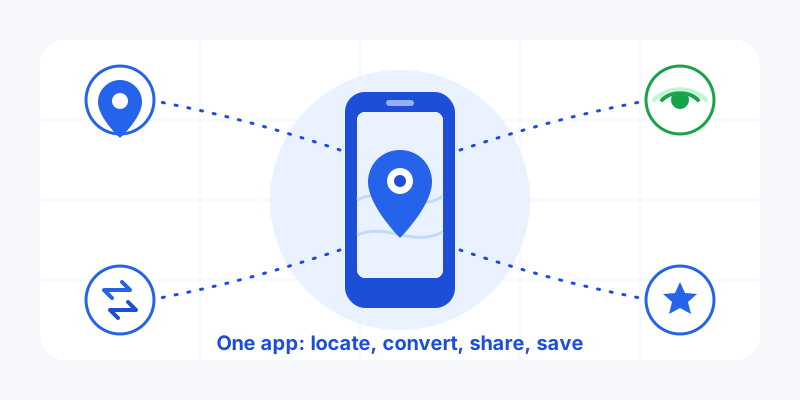
Most of us keep a handful of half-remembered tricks for anything to do with location: one app to drop a pin, a website to convert coordinates, another app to share where we are, and a notes file full of saved spots we can never find again. My Location collapses all of that into a single free Android app. Here is what it does, who it is for, and why it might be the only location app you keep on your phone.
If you have landed here from one of our specialist sites, this is the overview that explains the whole app rather than a single feature. Get My Location free on Google Play to follow along on your own device.
What the My Location app does
The app is built around four jobs that, between them, cover almost everything ordinary people need from "where am I and how do I tell someone." Each one works on its own, but they share the same map and the same saved places, so moving between them feels like one tool rather than four.
1. Your location and coordinates, instantly
Open the app and it shows where you are on a clean map, along with your exact latitude and longitude, your accuracy in meters, and your approximate address. No menu-digging: the first thing you see is the answer to "where am I right now." That sounds simple, but it is the single most common reason people reach for a location app — confirming a meeting spot, reading a coordinate off a trail marker, or grabbing the precise point of something worth remembering.
You can copy your coordinates in one tap to paste into a message, a form, or another app. If you have ever squinted at a maps screen trying to read a number off it, this alone is a relief.
2. Coordinate conversions, without the headache
Coordinates come in more flavors than most people realize: plain decimal degrees (the kind you paste into a search box), degrees-minutes-seconds (DMS) (the kind printed on old maps), plus surveyor and grid formats like UTM, MGRS, Plus Codes, and geohash. The app reads whichever format you hand it and converts to the others, so a coordinate from a hiking forum, a property deed, or a search-and-rescue brief all land in a format you can use. If you want the background on this, our guides on decimal degrees vs DMS and UTM coordinates explain why these formats exist in the first place.
3. Live location sharing — only when you want it
When a static pin is not enough, the app can broadcast your position live. Send a private follow-me link that anyone can open in a browser with no app or account, or share two-way with people you have added as friends. The key word is ephemeral: the app keeps only your latest position for the duration of a share, you set how long it runs, and stopping clears your dot immediately. It builds no history of everywhere you have been.
4. Maps and saved places that stay yours
Finally, the app is a place to keep places. Save the trailhead, the apartment with no number, the parking spot, the viewpoint — each as a precise point you can pull up later, get directions to, or share. Your saved places live on your map, organized your way, instead of scattered across screenshots and chat threads.
Who it is for
The honest answer is "anyone who deals with a specific spot on Earth," but a few groups get outsized value:
- Hikers, cyclists, and anglers who need to read and convert coordinates, mark a spot, and let someone follow their route home.
- Drivers and people meeting up who want to share an arrival in real time instead of trading "where are you now?" texts.
- Families who want a calm, mutual way to see each other on a map without a surveillance vibe — sharing that is on only when someone turns it on.
- Anyone who works with addresses-that-are-not-addresses: a gate in a field, a campsite, a remote job site. A coordinate or a Plus Code says exactly where, when a street address cannot.
- The pragmatic everyday user who is simply tired of juggling four tools and a notes file.
Why install it instead of using what you have
The big map apps are excellent at routing you somewhere, but they are not built around your coordinates, your conversions, or a private, time-limited share. My Location fills those gaps with a few deliberate choices:
- It is free. Every feature above, no paywall on the basics.
- Privacy is the default, not a setting. Live shares are ephemeral and you control the timer; nobody can watch you unless you hand them a link or add them as a friend.
- It works with the wider web. The follow-me link opens in any browser, so the person you are sharing with does not need to install anything.
- It is genuinely all-in-one. Location, conversion, sharing, and saved places under one roof means less app-switching and fewer copy-paste mistakes.
No inflated claims, no made-up ratings: just a tool that tries to do the obvious things well. Judge it by trying the things you actually do with location and seeing whether they get easier.
How it fits with our web tools
You do not always need to install an app. This site hosts a family of free, browser-based location tools for finding your coordinates, converting formats, measuring distance, and more, all running in your browser with nothing to download. The app is the companion for the same jobs on the go, with saved places that travel with you and live sharing in your pocket. Use the web tools for a quick one-off; install the app when location is part of your everyday routine.
Getting started in two minutes
Install the app, open it, and let it find you. You will see your position, coordinates, and accuracy straight away. From there, tap to copy a coordinate, convert it to another format, save the spot, or start a live share. Everything branches off that first map, so there is very little to learn.
One free app for your location, your coordinates, your shares, and your saved places. Download My Location on Google Play and keep the location toolbox you have been meaning to have.