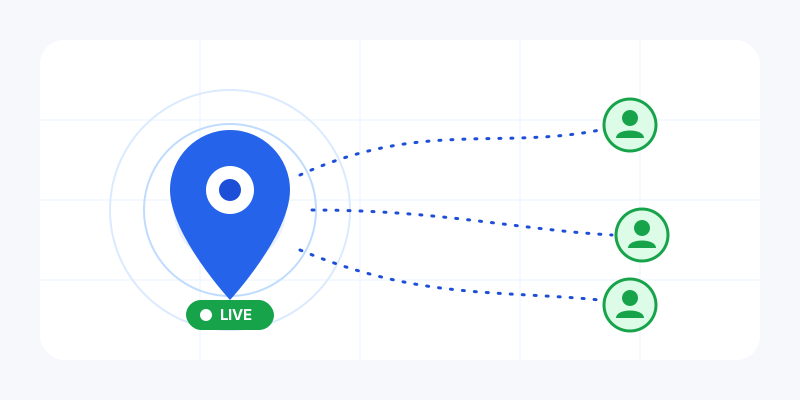
Texting "I'm nearly there" works until it doesn't: the other person still doesn't know where you are, whether to keep waiting, or which entrance to stand by. Live location sharing fixes that. Instead of a single dropped pin, the people you choose watch your position move on a map in real time, then it stops the moment you're done. Here is how live location works, how to share it with the My Location app, and how to do it without leaving a trail behind.
What is live location sharing?
Live location sharing broadcasts your current position continuously, updating every few seconds, to a specific person or to anyone holding a link you created. They see a dot move on a live map; you see who's watching and decide when it ends. It's the difference between mailing someone a photo of a street corner and letting them watch you walk toward it.
It's a different tool from a one-off location link, which is a single snapshot that never moves (great for "meet me here"; see how to share your location safely for that approach). Reach for live sharing when the movement is the point: an active journey, a meetup in a crowd, or a "let me know you got home" that you'd rather watch than wait for.
Three ways to share your live location
The My Location app gives you three live-sharing modes, so you only expose as much as the moment needs:
- A "follow me" link, no account required. Tap share, get a private link, and send it to whoever needs it. They open it in any browser and watch your dot move on a map, with no app install or sign-up on their end. You can password-protect the link, and rotate it any time to instantly kill the old one.
- Friends, mutual and two-way. Add people once (via an invite link), and you can see each other live on the same map, with a per-friend toggle so you choose exactly who you're sharing with at any moment. Perfect for family or a regular group.
- A private snapshot link. When the other person just needs to find one spot rather than follow you, send a static point instead with the share-my-location tool. Lighter on battery, nothing to switch off afterward.
How to share your live location, step by step
- Open the app and start a live share. Choose "follow me" for a link anyone can open, or pick a friend to share with directly.
- Set how long it runs. Pick a window, say an hour, or "until I stop." A bounded window is the safest default, because an open-ended share is the one you forget about.
- Send the link (for "follow me") through a channel you trust: a direct message to one person, not a public post. Friends you've already added just see you appear on their map.
- Watch it update. Your dot now refreshes in near real time as you move (about every 10 seconds), so followers always see roughly where you are right now.
- Stop when you're done. Hit stop (or let the timer expire) and the dot goes offline immediately, with no lingering trail.
Is live location sharing private and safe?
It can be the safest kind of sharing, if the tool is built for it, and ours is:
- It's ephemeral, not a history. We store only your latest position for the duration of the share, never a saved trail of everywhere you've been. When you stop, that last dot drops too.
- You set the clock. Choose a short window or "until I stop," and the share ends itself. No share runs forever in the background.
- Stop means stop. Ending a share (or "ghost mode") clears your dot at once, everywhere it was visible.
- You hold the keys. A "follow me" link is unguessable, can be password-protected, and can be rotated to revoke the old one instantly. Friends are mutual and removable, with a per-person on/off switch.
- Nothing public by accident. Links aren't listed or indexed; only someone you hand the link to (or a friend you added) can see you.
When live location actually helps
| Situation | Why live sharing wins |
|---|---|
| Meeting friends at a festival or busy venue | They can walk straight to your moving dot instead of trading "where are you now?" texts |
| A road trip or long hike | Family can follow your progress for peace of mind, then it ends when you arrive |
| Getting home late | One trusted person watches you make it to the door, then the share stops |
| Coordinating a pickup or delivery | The driver sees you approaching the curb in real time |
| Lone activities — running, cycling, working alone | A check-in contact can see you're moving and where |
A note on battery and data
Continuous GPS uses more battery than a one-time fix, so live sharing runs only while you've actively turned it on, with a time limit you control, and it tightens its update rate automatically when your battery is low. If you only need someone to find one spot, a static location link or a quick coordinates lookup does the job with almost no battery cost.
Why share live location with My Location?
It's free, there's no account needed to send a "follow me" link, and the people watching don't need the app, just a browser. It works across phone and web, your position is ephemeral rather than logged, and you stay in control of who sees you and for how long. If you've ever felt uneasy about a maps app that keeps your location history, this is the calmer alternative.
Get started
Want to try it? Confirm the app has you in the right place first with an instant map of your current location, then get the My Location app to start a live "follow me" share or add a friend. For a one-time "meet me here," the browser-based share-my-location tool needs no app at all.